A short withdrawal freeze after a security change is normal. Reset your password, reset or swap your two-factor authentication, change the phone number or email on the account, and most exchanges stop outgoing transfers for a while. Going by the help centres of Binance, OKX and Bybit, that window runs from 24 to 48 hours. It ends on its own, and Binance adds that the suspension cannot be lifted before the period is over.
The point of the delay is simple. If someone else made the change, those hours give the real owner time to see the alert and lock the account before any coins leave. So the practical question isn’t how to get around it. It’s whether you have a payment due inside that window.
Phone or email too
Unlocking the account counts
Withdrawals stop
Deposits still arrive
No request needed
Binance: no early release
What each exchange says triggers the hold
Binance has the most variation between its own pages, so it gets its own list.
- Password reset: the global English help article says withdrawals, P2P selling, payment services and internal transfers are disabled for 24 hours. The Spanish version of the same article says 48 hours (more on that below).
- 2FA reset: withdrawals, P2P selling, internal transfers and payment services are disabled for up to 48 hours (page updated 18 March 2026).
- Unlocking a locked account: allow up to 48 hours before withdrawing or using P2P.
- General rule: an older FAQ, How to Reactivate the Withdrawal Function, puts it as “certain security operations, such as changing your password” leading to 24 to 48 hours, which cannot be lifted before the period ends.
OKX keeps it shorter. Its page Why can’t I withdraw funds? (updated 5 August 2026) gives 24 hours after a login password change and 24 hours after changing any authentication method, meaning phone, email or authenticator app. It says other account functions are not affected. A separate OKX FAQ, “Withdrawing assets to OKX users” (updated 11 August 2026), adds that after a recent password or security-settings change you have to wait 24 hours before withdrawing to another OKX user, so internal transfers stop too.
Bybit has the longest list of triggers, each with a 24-hour restriction, in its On-Chain Crypto Withdrawals FAQ: changing or resetting the password, changing the registered mobile number, changing or disabling the email, turning the New Address Withdrawal Lock on or off, disabling or resetting Google Authenticator, changing or disabling the fund password, transferring your KYC identity to another account, self-reactivating the account, and removing passkeys.
One item on Bybit’s list is easy to miss. Switching on the New Address Withdrawal Lock, a protective setting, starts its own 24-hour hold. If you plan to add that kind of protection, do it when nothing needs to go out. What address locks and small test transfers each protect against is covered in Withdrawal whitelist or small test.
All pages above were opened and checked in October 2026.
Same Binance article, two different numbers
Open Binance’s “How to Reset Your Binance Account Password?” in different languages and the red warning line doesn’t match. In October 2026 the Chinese and global English versions said 24 hours. The Spanish version, carrying the same 28 April 2026 update date as the Chinese one, said 48 horas. The UK-site English page, below, also says 24 hours but lists only withdrawals, P2P selling and payment services.
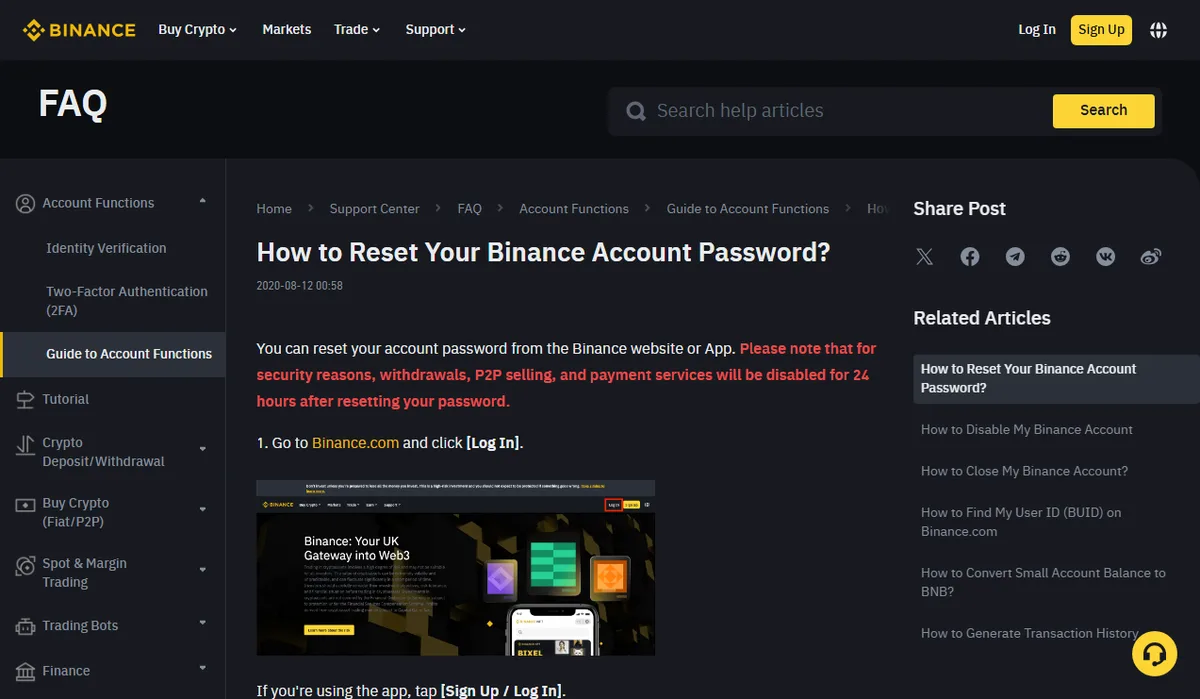
There’s no way to tell from outside which figure applies to a given account. Treat the help page as a summary and go by whatever the withdrawal screen tells you. If you planned a payment around 24 hours and the button is still disabled at hour 25, the longer figure may simply be the one that applies to you.
It’s not only on-chain withdrawals
On Binance and Bybit the freeze reaches further than the withdraw button. Binance’s pages name internal transfers, P2P selling and payment services alongside withdrawals. Bybit defines “withdrawal” to include on-chain withdrawals, internal transfers, fiat withdrawals, Bybit Card transactions and P2P trades, buy orders as well as sell orders.
So sending to a friend’s account on the same exchange, or selling for cash through P2P, usually won’t work during the hold either. None of the three lists deposits or spot trading. Incoming coins still land, and you can still trade what’s there. You just can’t move it out.
Payment due soon: send first, or change first?
It depends on why you’re changing the setting.
Routine change. New phone, old password you’ve been meaning to replace. Say you owe someone USDT tomorrow: send it, confirm it arrived, then make the change. Put security updates in a two-day gap with no outgoing payments and the hold costs you nothing. If the change is a phone swap, read Moving an authenticator to a new phone first so you don’t end up needing a full 2FA reset.
Something looks wrong. A login alert you didn’t trigger, or you typed your password into a page you now doubt. Change it right away and accept the hold. It stops you, but it also stops whoever has your password, and that second part is the reason it exists.
Still blocked after the hold should have ended
The hold lifts automatically; there’s nothing to submit. If withdrawals stay disabled well past the stated window, the cause is probably something else. Binance’s reactivation FAQ lists a few: a withdrawal flagged as risky, a withdrawal under security review, or an anti-scam questionnaire to complete. Each shows its own message on the withdrawal page.
Be wary of anyone who messages you offering to lift the hold early for a fee or a “verification”. Binance states the suspension can’t be lifted before it ends, so an offer like that is a scam signal. How to check whether a message really came from the exchange is covered in Binance anti-phishing code.
For the first withdrawal afterwards, if the destination address was added during the hold, send a small test before the full amount. The transfer checklist walks through the rest.