The recipient says the USDT arrived, then asks for the transaction hash so they can match it. You open your Binance withdrawal history and the TxID column reads Internal. No 64-character hash, nothing to paste, and no network fee taken either.
Nothing is broken. The address you sent to belongs to another Binance account, so Binance moved the balance from your account to theirs on its own books. Nothing was broadcast to a blockchain, which is why there is no hash and why a block explorer shows nothing. The proof you can give is different: an internal transfer ID, and the recipient’s own deposit history.
What “Internal” in the TxID field means
Binance’s help article How to Make an Internal Transfer to Another Binance Account? puts it in one line:
The TxID field will be shown as [Internal] and you will see an internal transfer ID.
Two things follow. The receiving account is on the same platform, and the transfer does not exist on any public chain. Searching the destination address on TRONSCAN or Etherscan will not turn it up; that is how the mechanism works, not a sign the funds went missing.
Why withdrawing to the same exchange costs nothing
A normal withdrawal fee pays for getting the coins onto the chain (the different charges are split out in Trading fees, withdrawal fees and gas are different costs). An internal transfer never touches the chain. Binance’s article opens with “Internal transfers have zero transaction fees and transfers are credited immediately.” OKX says no blockchain confirmation is needed and no network fees are charged. Bybit describes its version as instant and without a withdrawal fee.
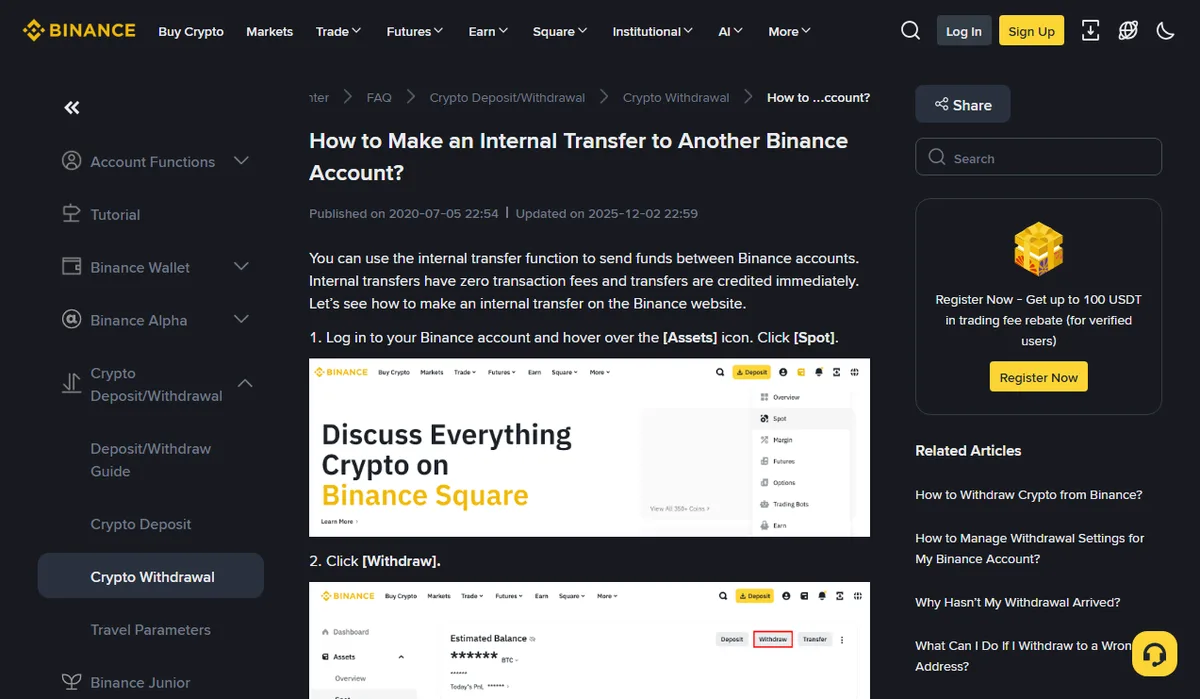
Saw a network fee on the withdrawal screen but your balance never dropped by that amount? Step 7 of the same article explains it: the network fee is only charged for withdrawals to non-Binance addresses. When the recipient’s address belongs to a Binance account there is no fee to pay, and they receive the amount shown next to [Receive Amount].
The fee comparison calculator works out what arrives after an on-chain withdrawal. When both sides are on the same platform there is no such fee to compare, provided the transfer really is handled internally. The Binance section below shows how to check.
No transaction hash: what to send the recipient
According to the same Binance article, sender and recipient see the same internal transfer ID, and that is the reference Binance Support asks for if something goes wrong. Instead of a hash, send:
- the internal transfer ID from the withdrawal record marked Internal;
- coin, amount and time of the withdrawal;
- the address you used, or their Binance ID, email or phone number.
The recipient finds the matching entry under Transaction History → Deposit, also marked Internal. A merchant whose system only accepts an on-chain hash may still be unable to match it. Ask before you send, for the reason in the next section.
Switching between internal transfer and on-chain withdrawal on Binance
On the Binance withdrawal page, Send to offers two routes. Choose Binance user and enter a Binance ID (BUID), email or phone number. Or choose Address and paste a deposit address. When that address belongs to a Binance account, the article’s next step is to hover over the [i] icon and click [Change] to toggle between internal transfer and on-chain withdrawal. On-chain sends the coins over the network, costs the network fee and gives you a hash anyone can look up.
Which one to pick depends on how the other side confirms payment. An ordinary user who can open their own deposit history is better served by the free, instant internal route. If their system credits only against a transaction hash, paying one network fee for a verifiable hash usually beats explaining an “Internal” record after the fact.
The article also warns: please ensure that the address belongs to a Binance account before confirming the withdrawal as an internal transfer. It does not say what happens if it doesn’t. If you are unsure whose address it is, ask the recipient rather than guessing from its format.
OKX and Bybit: a separate recipient type, with conditions
OKX’s Withdrawing assets to OKX users FAQ (updated 11 August 2026) treats it as a recipient choice: select OKX users, then enter their phone number, email, UID or sub-account name. Credits show up in the deposit records. The page adds two limits worth knowing:
- the amount must exceed the minimum withdrawal amount, free or not;
- after a password or security-setting change, or after turning on the address whitelist, you wait 24 hours before withdrawing to a new address or an OKX user. How the three exchanges handle that pause is compared in Withdrawals on hold after a password or 2FA change.
Bybit’s How to Withdraw Assets via Internal Transfer (updated 2026-04-27) goes Withdraw → Crypto Withdrawal → Internal Transfer, with email, UID or mobile number as the recipient. Its extra condition: both accounts must have completed identity verification. The sender’s record sits under Withdraw (Internal Transfer) in the Funding Account history; the recipient looks for Deposit (Internal Transfer).
OKX does cover the reverse case: if you are not sure the recipient is an OKX user, paste the address under On-chain addresses, and when the system recognises it as an OKX address the fee-free OKX users route is selected for you. Bybit’s page says nothing of the kind, and neither page mentions a TxID. On both platforms, the column the record lands in tells you which kind it was.
Sent an internal transfer to the wrong person
Instant works both ways. OKX says incorrect details may send assets to the wrong account and recommends contacting the recipient to ask for a return transfer, then customer support if you can’t reach them. The Binance and Bybit pages describe no reversal process.
Checking the UID or email with the person before you press send is worth more than any of that. If a stranger then offers to “pull it back through an internal channel,” read Someone says they can recover your stolen USDT? first. And if the transfer that hasn’t shown up was an ordinary on-chain one, go through USDT not received?
Pages used, opened on 17 October 2026: Binance Help Center “How to Make an Internal Transfer to Another Binance Account?” (updated 2025-12-02); OKX “Withdrawing assets to OKX users FAQ” (updated 2026-08-11); Bybit “How to Withdraw Assets via Internal Transfer” (updated 2026-04-27). Button names are quoted as those pages showed them that day and may change with a redesign.